顯示具有 Python 標籤的文章。 顯示所有文章

2014年11月12日 星期三

django + scrapy + celery + redis +

# setup virtual env
mkdir test
cd test
virtualenv .env
source .env/bin/activate

# install scrapy
pip uninstall lxml
STATIC_DEPS=true pip install -U lxml
pip install scrapy
pip install service_identity
# install mongodb
brew install mongodb --with-openssl
pip install pymongo
pip install mongoengine

#install celery
port install openssl  
pip install celery
pip install celery-with-mongodb

#install django

# install 3rd part libs
pip install pandas
pip install numpy
pip install zipline
port install cython
port install TA-Lib
easy_install TA-Lib

# install supervisor
pip install supervisor

# explore $PATH
.bash_profile
export PATH=".env/bin:/Users/seanchen/anaconda/bin:/opt/local/bin:/opt/local/sbin:/usr/local/bin:/usr/local/sbin:/usr/bin:/usr/sbin:$PATH"
export PATH="$PATH:/Users/seanchen/tool/mongodb/mongodb-osx-x86_64-2.6.4/bin:/Users/seanchen/prj/talib/src/ta-lib/bin"

export LD_LIBRARY_PATH=".env/lib:/usr/local/lib:$LD_LIBRARY_PATH" 

export C_FORCE_ROOT=true

2014年6月10日 星期二

remoteLED


  • remote LED
    • Server
      • raspberry pi control LED on/off
      • control GPIO pin 16, 18 to turn on/off led
    • client 
      • android phone
      • send remote control command to Server
  • prj path
    • https://github.com/funningboy/remoteLED

2014年2月9日 星期日

carCV

purpose

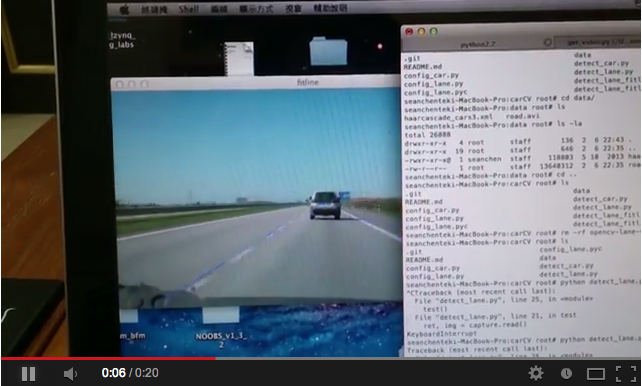
car and lane detection example
ScreenShot

method

-lane detection
  • houghlines
  • houghlinesP
  • fitlines
-car detection
  • haar cascades

how to run it?

step1. get video source %python get_video.py
step2. lane detection %python detect_lane.py
step3. car detection %python detect_car.py
Ref

remote openCV with raspberry pi


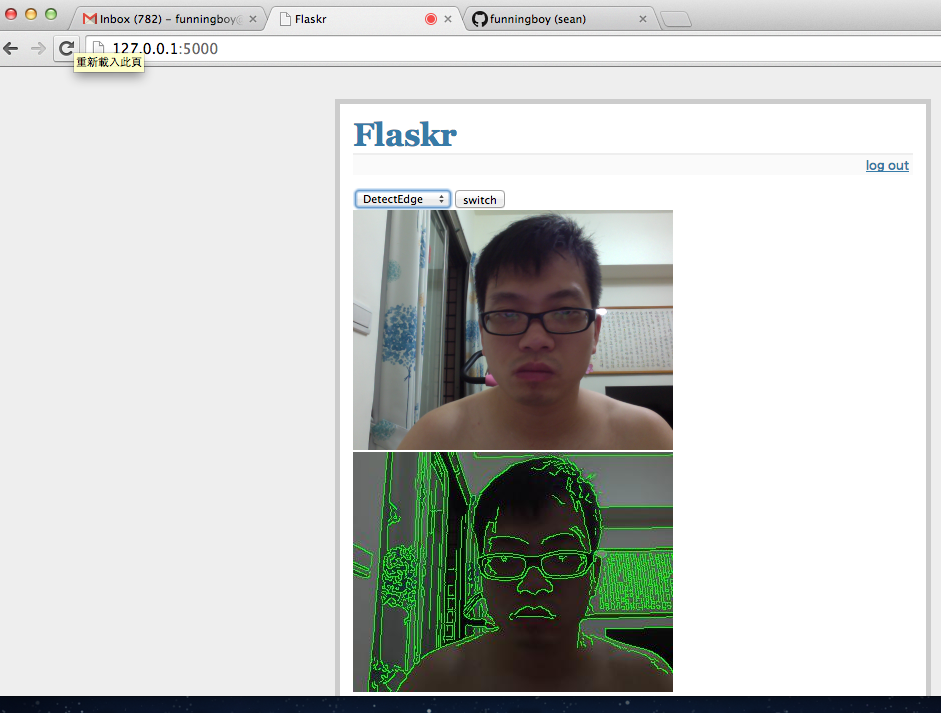
this is an example about how to use remote object detection based on openCV and zeromq framework.

requirements

  • opencv(python) as cv(opencv) and cv2(numpy)
  • zeromq(python)
  • gevent(light weight switch)
  • knowledge about img process
  • profile, logging each stage mem and cpu time

method

  • Server
    • capture img
    • send img to clinet
    • wait for next command from client
    • update status by new command
  • Client
    • receive img
    • run all detection
    • build up a new command based on detection results

detections

  • face detect
  • circle detect
  • line detect
  • find attribute obj

how to run it?

  • python poll_camera.py (using cv to capture/show img via remote protocol)
  • python poll_camera2.py (using cv2 to capture/show img ...)
  • python poll_thread_run2.py (using cv2 to run all thread detection based on CPU num)
  • python poll_series_run2.py (using cv2 to run all series detection ...)

2013年12月1日 星期日

raspberry pi projects case study

1.  airplay remote audio player
http://gsyan888.blogspot.tw/2013/04/raspberry-pi-shairport-airplay-receiver.html

1.1 implement
http://www.instructables.com/id/raspbAIRy-the-RaspberryPi-based-Airplay-speaker/step3/Installation/

2 wifi adaptor
http://learn.adafruit.com/adafruits-raspberry-pi-lesson-3-network-setup/overview

3. game player
http://pimame.org/

4. media center by xbmc + navi = free movie + airplay media
http://www.instructables.com/id/How-to-Make-a-Raspberry-Pi-Media-Panel-fka-Digita/step2/Order-an-LCD-Controller-Board/
http://www.instructables.com/id/XBMC-Media-Center-with-Raspberry-Pi/
https://www.youtube.com/watch?v=rjcu3eYvlMY

5. microcontroller i2c python
http://www.instructables.com/id/Raspberry-Pi-I2C-Python/
http://learn.adafruit.com/adafruits-raspberry-pi-lesson-4-gpio-setup/configuring-i2c

6. microcontroller gpio
http://www.instructables.com/id/Web-Control-of-Raspberry-Pi-GPIO/

7. small web server
http://www.instructables.com/id/Raspberry-Pi-Web-Server/step5/SSH-Login/

8.Running Minecraft on a Raspberry Pi
http://learn.adafruit.com/running-minecraft-on-a-raspberry-pi

9. IDE debug
http://learn.adafruit.com/webide/installation

10 ATX power controller
http://www.raspberrypi.org/phpBB3/viewtopic.php?f=40&t=59919

2013年11月18日 星期一

python microcontroller case study

arm raspberrypi
http://www.raspberrypi.org/wp-content/uploads/2012/02/BCM2835-ARM-Peripherals.pdf

pymcu
http://www.pymcu.com/index.html

python microcontroller
http://www.kickstarter.com/projects/214379695/micro-python-python-for-microcontrollers

real time warning message broadcast system
bluetooth microphone
android usb


brain wave monitor

brain wave product 

bike LED 風火輪

風阻訓練台

arduino (openhardware)

openhardware

beagleboard source code


benchmark arm vs x86

power profile

bike fit

bike fit calculate

2013年10月14日 星期一

llvmpy = JIT python via llvm keynotes

  • llvmpy
    • a jit python interpreter via llvm
    • a  wrapper interface between llvm c/c++ function calls and python interface
  • flow
    • wrapper c/c++ code to shared lib, such as pass, target, VM...
    • explore the shared lib to python import path
    • import it
  • example
  • original c/c++ code
    #include "dpi.h"
    
    /* c_add */
    int
    c_add(int a, int b) {
      return a+b;
    }
    
    wrapper it via c/c++ python extend
    #include <Python/Python.h>
    #include <numpy/arrayobject.h>
    #include <stdio.h>
    #include <stdlib.h>
    #include "dpi.h"
    
    /* wrapper add, ref count definition */
    static PyObject *
    dpi_add_wrapper(PyObject *self, PyObject *args)
    {
      int a, b, c;
    
      // parse arguments
      if (!PyArg_ParseTuple(args, "ii", &a, &b)) {
        return NULL;
      }
    
      // run the actual function
      c = c_add(a, b);
    
      // build the result to a Python object.
      return Py_BuildValue("i", c);
    }
    
    /* register methods */
    static PyMethodDef DPIMethods[] =
    {
          {"dpi_add", dpi_add_wrapper, METH_VARARGS, "Calculate the sum of two integers."},
          {NULL, NULL, 0, NULL}
    };
    
    
    register to python search path
    from distutils.core import setup, Extension
    
    
    # ref : http://docs.python.org/2/extending/building.html
    # the c++ extension module
    extension_mod = Extension("dpi", ["moduledpi.c", "dpi.c"], include_dirs=['/var/root/anaconda/lib/python2.7/site-packages/numpy/core/include'],
    library_dirs=['/var/root/anaconda/lib/python2.7/site-packages/numpy/core/lib', '/var/root/anaconda/lib/python2.7/site-packages/numpy/lib'])
    
    setup(name = "dpi", ext_modules=[extension_mod])
    
    run it
    >>> python
    >>> import dpi
    >>> dpi.dpi_add(1,2)
    

2013年10月6日 星期日

how many ways to import c/c++ to python


  • import your c/c++ to python
  • way
    • cython
    • pyobject python c api (python extension with C)
    • swing
    • ctypes
  • ref
    • http://realmike.org/blog/2012/07/05/supercharging-c-code-with-embedded-python/
    • https://intermediate-and-advanced-software-carpentry.readthedocs.org/en/latest/c++-wrapping.html
    • http://realmike.org/blog/2012/07/08/embedding-python-tutorial-part-1/
    • http://www.tutorialspoint.com/python/python_further_extensions.htm
    • https://mail.python.org/pipermail/capi-sig/2009-May/000256.html
    • http://docs.scipy.org/doc/numpy/user/c-info.how-to-extend.html
    • http://dan.iel.fm/posts/python-c-extensions/
    • http://web.mit.edu/course/6/6.863/OldFiles/python/old/numpy-1.0.1/numpy/core/src/arraymethods.c
    • http://scipy-lectures.github.io/advanced/interfacing_with_c/interfacing_with_c.html#introduction

2013年9月25日 星期三

python2.7 + openCV + myHDL


  • main purpose
    • using openCV to estimate how may hardware cycles in our archicture
  • requirement
    • python2.7.3
    • opencv2.4.2
    • numpy
  • exercise
    • rotate 0, 90, 180, 270 degree
    • image mask
    • image fetch
    • watermaker
  • project:
    • https://github.com/funningboy/openCV_myHDL/tree/master/opencv
    • ref
    • http://docs.opencv.org/doc/tutorials/calib3d/camera_calibration/camera_calibration.html
    • https://github.com/FalkorSystems/DeFisheye/blob/master/README.md
    • http://cg2010studio.wordpress.com/2012/01/03/opencv-%E6%A8%A1%E6%93%AC%E9%AD%9A%E7%9C%BC%E9%8F%A1%E9%A0%AD-simulate-fisheye-lens/
    • http://stackoverflow.com/questions/2477774/correcting-fisheye-distortion-programmatically

2013年9月14日 星期六

python finance model Quant-economic

Python finance model example

  • http://quant-econ.net/_static/pdfs/quant-econ.pdf?utm_source=Python+Weekly+Newsletter&utm_campaign=8e17b3ce66-Python_Weekly_Issue_104_September_12_2013&utm_medium=email&utm_term=0_9e26887fc5-8e17b3ce66-312683741
  • https://github.com/funningboy/quant-econ


requirements
  • numpy
  • pandas
  • scipy
  • matplotlib
  • pylab


2013年7月23日 星期二

python 大補帖 = Anaconda


最近小弟因為要做些圖形應用的 project, 裡面要用到 opencv 跟 big data 相關的 modules, 去幫我做些圖形運算. 但小弟不才, 軟體灌了很久就是裝不起來, 不是東缺一塊就是西塊, 於是就拿出 python 大補帖, 直接install下去, 完全就是快速阿...
  • what's Anaconda
    • a tool set for big data analysis which is contains (numpy, scipy, panda, pytable)


  • package list

    • http://docs.continuum.io/anaconda/pkgs.html


  • set up your python path

    • ~/.bashrc
    • export PATH=~/anaconda/bin:$PATH, export PYTHONPATH=~anaconda/lib/python2.7:$PYTHONPATH


  • open source

    • http://continuum.io/developer-resources

    2013年7月14日 星期日

    Demo for interview

    最近為了 interview 寫了幾個小 project. 有興趣的就參考看看吧!!

    jenkins + python = regression env

    Hi all,
    this is a python unittest regression flow by jenkins that can help designer daily run testsuites and support the GUI output reports(coverage pass rate)

    github:

    • https://github.com/funningboy/ijenkins/blob/master/README
    ref:
    • http://jenkins-ci.org/content/python-love-story-virtualenv-and-hudson

    2013年4月2日 星期二

    Ta-lib + bigdata = stock analysis tool

    • 如何用30分鐘, 打造出自己獨特程式交易系統. 話不多說,我們就直接開始吧!!!!
    • requirements
      • Ta-lib(support finance indicators)
      • bigdata(pandas, numpy, scipy, matplotlib...)
      • Ta-lib Cython wrapper (wrapper Ta-lib to python)
    • how to install in Mac 
      • install Ta-lib (port install ta-lib)
      • install bigdata 
        • port install py27-pandas
        • port install py27-numpy
        • port install py27-matplotlib
        • ...
      • setup python search path for mac port
        • add the below info to "~/.bashrc"
          • "/opt/local/Library/Frameworks/Python.framework/Versions/2.7/lib/python2.7/site-packages"
        • source ~/.bashrc
      • install Ta-lib(wrapper)
        • https://github.com/funningboy/ta-lib
    • example case
      • 買點
        • 利用5日平均線大於10日平均線
      • 賣點
        • 持有天數最多只能有三天
      •  結論
        • 還是實在賺錢比較重要
      • ref:
        • https://github.com/funningboy/ta-lib/blob/master/tools/tdr_jump.py
      • results:
    total profit is : -20.26
    ----------------------------------------------------------------------------------------------------
                   ma10      ma5   close    high     low    open   volume  entry  leave  profit
    2013-01-02      NaN      NaN  723.25  727.00  716.55  719.42  2541300      0      0    0.00
    2013-01-03      NaN      NaN  723.67  731.93  720.72  724.93  2318200      0      0    0.00

    import sys                                                                                                                                                                           
    from datetime import datetime
    
    import numpy as np
    import talib
    import matplotlib.finance as fin 
    from pylab import show
    
    from pandas import Index, DataFrame, Series
    from pandas.core.datetools import BMonthEnd
    from pandas import ols 
    
    
    def getQuotes(symbol, start, end):
        """ get stock Quotes from Yahoo """
    
        quotes = fin.quotes_historical_yahoo(symbol, start, end)
        dates, open, close, high, low, volume = zip(*quotes)
    
        data = { 
            'open': open,
            'close': close,
            'high': high,
            'low': low,
            'volume': volume
        }   
    
        dates = Index([datetime.fromordinal(int(d)) for d in dates])
        return DataFrame(data, index=dates)
    
    
    def getMA(quotes):
        """ get mv_avg indicator and update org quotes by joining two DataFrame """
    
        ma5 = talib.MA(quotes['close'],5)
        ma10 = talib.MA(quotes['close'],10)
    
        data = { 
                'ma5' : ma5,
                'ma10': ma10,
                }   
    
        update = DataFrame(data, index=quotes.index)
        return update.join(quotes)
    
    def setEntryRule1(quotes):
        """ set entry rule when ma5 is cross-over ma10 """
    
        def rule1(quotes, index):
            rst = 1 if quotes['ma5'][index] > quotes['ma10'][index] else 0
            return rst
    
        quotes['entry'] = [rule1(quotes, index) for index in quotes.index]
        return quotes
    
    
    def setLeaveRule1(quotes):
        """ set leave rule when the holding day is large than 3 days"""
    
        def rule1(quotes, position):
            if position - 3 >= 0:
                if quotes['entry'][position-3] == 1:
                    return [1, quotes['close'][position] - quotes['close'][position-3]]
            return [0, 0]
    
        quotes['leave'], quotes['profit'] = zip(*[rule1(quotes, position) for position, index in enumerate(quotes.index)])
        return quotes
    
    
    def getProfit(quotes):
        """ get profit report """
    
        print "total profit is : %s" %(sum(quotes['profit']))
        print "-" * 100
        print quotes
    
    
    def main():
        # get stock info from start to end
        startDate = datetime(2013, 1, 1)
        endDate = datetime(2013, 1, 30)
    
        # get stock id
        goog = getQuotes('GOOG', startDate, endDate)
        goog = getMA(goog)
    
        goog = setEntryRule1(goog)
        goog = setLeaveRule1(goog)
        getProfit(goog)
    
    if __name__ == '__main__':                                                                                                                                                           
        main()


    2013年3月1日 星期五

    ECO tool for NetList Verilog

    hi all,

    if your are a CAD Engineer in IC design house, i think you always take a lot of time to do recourse jobs... like reassign wire names, add new cells, check netlist...that's really suck things. why not try this tool that can help you insert ECO cell automatically, and double check the ECO cell inserted is ok when you running this script.

    features
    1. ECO cell insert
    2. ECO cell check
    3. Module output Fanin check
    4. Module input Fanout check
    5. cell, port, net, width check

    more to do
    1. support Graph alg(NetworkX)
    2. support assign statement
    3. support STA, Timing check
    4. support simulation???

    Example:
    Definition about input/output, ECO file...

    # our org NetList file
            vtest = \
    """
    module TOP( in, out );
    input [1:0] in;
    output [1:0] out;
    INVD1 U0( .I( in[0] ), .ZN( out[0] ) );
    INVD1 U1( .I( in[1] ), .ZN( out[1] ) );
    endmodule
    """
    
    # our cell lib file
            ytest = \
    """
    AN2D1:
      inputs:
        A1: 1
        A2: 1
      outputs:
        Z: 1
      primitive: A1 and A2
    
    INVD1:
      inputs:
        I: 1
      outputs:
        ZN: 1
      primitive: not I
    """
    
    # our ECO file description, define where is the Input, Output link coming from, and it's assign value
            etest = \
    """
    AN2D1:
      inputs:
        A1: new_in
        A2: in[0]
      outputs:
        Z:  new_out
      primitive: A1 and A2
    """
    
    # our expect value
            exptest = \
    """
    module TOP( new_in, new_out, in, out );
    
        output [  1: 0 ] out;
        input  [  1: 0 ] in;
        input new_in;
        output new_out;
    
        AN2D1 ECO_AN2D1( .A1( new_in ), .A2( in[0]), .Z( new_out ) );
        INVD1 U0( .I( in[0] ), .ZN( out[0] ) );
        INVD1 U1( .I( in[1] ), .ZN( out[1] ) );
    endmodule                                                                                                                                                                            
    """


    How to run
        Add new ECO cell in org NetList file.
        >>> eco = ECO()                                                                                                                                                                  
        >>> eco.readYAML("test/gates.yml") # read cell libs
        >>> eco.readVerilog("test/Iface_test.gv") # read org verilog Netlist file
        >>> eco.link("Iface_test") # link top module
        >>> eco.checkDesign() # check pre load design is ok
        >>> eco.report()
        >>> eco.readECO("test/ECO.yml") # read eco file
        >>> eco.runECO() # run eco
        >>> eco.checkDesign() # recheck design again when the ECO is done
        >>> eco.report()
        >>> eco.writeVerilog("test/new_Iface_test.gv")
    

    How to run unittest nosetests
    project

    2013年2月18日 星期一

    example MyHDL

    hi all,

    this is a speech about MyHDL in python taipei meeting,
    the free project code can download from git
    thanks


    python + GDB


    PythonGDB ,
    using python script to handle GDB sequence, such as dump ASM, catch segment fault exceptions, debug, trace back..., it's very useful for me. because i can use this script to catch info what i want to see... as you known, i am a lazy man, typing redundant key words in gdb is very hard for me. XD

    • install
      • mkdir -p ~/archer/build ~/archer/install
      • git clone git://sourceware.org/git/archer.git
      • git checkout archer-tromey-python
      • cd build/
      • ../archer/configure --prefix=$(cd ../install && pwd)
      • make all install
      • PATH=/Users/Apple/prj/archer/install/bin:$PATH
      • gdb
      • (gdb) python print 23
    • example
      • GDB list macro definition
      • gdb
      • (gdb) python import gdb
      • (gdb) gdb.execute('file xx')  # = file xx load xx exec file
      • (gdb) gdb.execute('b main') # = set break pp in main
      • (gdb) gdb.execute('list')       # = list 
      • (gdb) gdb.execute('bt')        # = bt list all frames
      • (gdb) gdb.execute('disas /m ') 
    • script in python

        def gdb_dump(self):
            try:
                global DETAIL
                gdb.execute('file ../add_py/add_py')
                o = gdb.execute('disas /m add', to_string = True)
                print "-"*24
                print "pyobject asm func(add) call"
                print "-"*24
                if DETAIL == True: logging.info(o)
                print "len %d" %(len(o.split("\n")))
            except IOError as e:
                print "pyobject gdb dump error"
    
    Ref:
    PythonGDB
    PythonGdbTutorial
    Low level debuger
    IDAPython

    2013年2月12日 星期二

    python + SystemC = pySystemC

    Wrapper SystemC TLM models in Python

    • How to install SystemC TLM models in MAC
      • download SystemC2.3
      • cd $
      • %mkdir build
      • %cd  build
      • %../configure
      • %make install
      • %export SYSTEMC_HOME=$
      • cd $/examples/tlm/build-unix
      • replace Makefile.config TARGET_ARCH ?= macosx64
      • make install

    • embedded SystemC to python env

      • advantages
        • script language easy to extend
        • more libraries support
        • more easily to reuse and rebuild(no compiler knowledge)
      • swig
    • how to do it?
      • wrapper SystemC thread/method to python call back
        • void sc_module_swig::method (PyObject * f){
          sc_python_callback * callback =
          new sc_python_callback (f);
          PyObject* name = PyObject_GetAttrString (f,"__name__");
          if(name == NULL || !PyString_Check(name)){
          std::cerr << "python name error\n";
          return;
          }
          sc_method_handle handle = simcontext()->
          register_method_process(
          PyString_AsString (name), callback,this );
          sc_module::sensitive << handle;
          sc_module::sensitive_pos << handle;
          sc_module::sensitive_neg << handle;
          }

      • wrapper SystemC start/end simulation

        • class sc_module_swig : public sc_module {
          public:sc_module_swig (const char * nm): sc_module ((sc_module_name)nm){}

          virtual void beforeEndOfElaboration(){}
          virtual void endOfElaboration(){}
          virtual void startOfSimulation(){}
          virtual void endOfSimulation (){}

          inline void dontInitialize ()
          {sc_module::dont_initialize ();}

          inline sc_sensitive & getSensitive (){return sensitive;}
          ...
          protected:
          inline void before_end_of_elaboration()
          {this->beforeEndOfElaboration ();}
          inline void end_of_elaboration()
          {this->endOfElaboration ();}
          inline void start_of_simulation()
          {this->startOfSimulation ();}
          inline void end_of_simulation()
          {this->endOfSimulation ();}
          ...
          };
      • wrapper SystemC module
        •                                                                                                                                                                  
      • set up SystemC map table "*.i"
        • %module sc_module_swig
          %{
          #include "systemc.h"
          #include "sc_module_swig.h"
          %}

          %include "sc_module_swig.h"
      • swig -c++ -I" -python *.i
    • ref

    GreenScript User Manual - GreenSocs